AL LSP for Agents: Now in VS Code, and a New Home
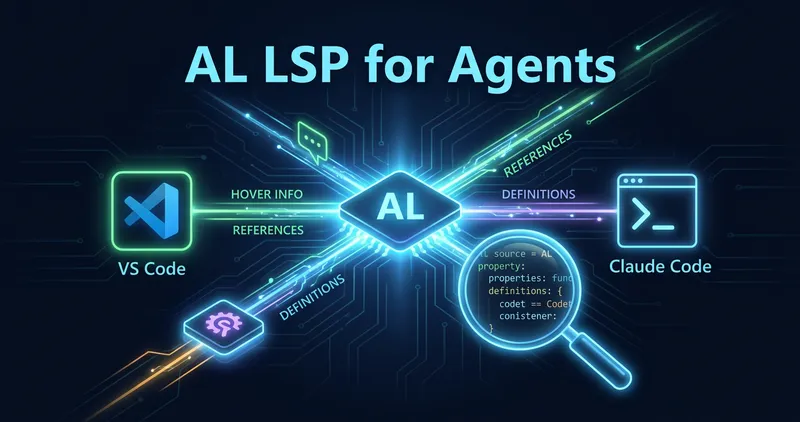
Back in January I shipped native AL Language Server support for Claude Code. It gave the AI compiler-powered code intelligence: go to definition, find references, call hierarchy, the works. Claude Code went from grepping through files to actually understanding your AL codebase.
That was Claude Code only. A certain Waldo had opinions about that.
His take: this should work in VS Code too. With Copilot. Not just Claude Code.
He was right. (Don’t tell him I said that.)
What changed
The project has a new name and a wider scope. claude-code-lsps is now al-lsp-for-agents. It ships as:
- VS Code extension with Language Model Tools for GitHub Copilot agent mode
- Claude Code plugin (same as before, just under the new repo name)
- Standalone binaries for anyone who wants to integrate with other tools
The VS Code extension is on the Marketplace now (v1.5.2). Install it, open an AL project, and Copilot gets eight new tools for navigating your code.
Language Model Tools
In Copilot agent mode, the extension registers these tools:
| Tool | What it does |
|---|---|
al_goToDefinition | Jump to where a symbol is defined |
al_hover | Type info, signatures, field lists, and all declared properties |
al_findReferences | Every usage of a symbol across the project |
al_prepareCallHierarchy | Identify a procedure for call analysis |
al_incomingCalls | Who calls this procedure? |
al_outgoingCalls | What does this procedure call? |
al_codeLens | Reference counts and quality metrics per procedure |
al_codeQualityDiagnostics | Unused procs, complexity warnings, long methods |
These aren’t wrappers around text search. They go through the actual Microsoft AL Language Server and al-call-hierarchy, a tree-sitter-based analysis server. The AI gets the same data the language server gives you.
Enriched hover
Before this, hover only showed the type signature. Now the AI sees every property declared on a field or action, so it can make informed decisions about your code. When you hover over a field, the wrapper pulls in every declared property from the source file:
(field) "Payment Terms Code": Code[10]

--- Field Properties ---
- Field ID: 20
- Caption: 'Payment Terms Code'
- DataClassification: CustomerContent
- TableRelation: "Payment Terms"
Same for page actions:
(action) LedgerEntries

--- Action Properties ---
- Caption: 'Ledger Entries'
- RunObject: page "Customer Ledger Entries"
- RunPageLink: "Customer No." = field("No.")
- ShortcutKey: 'Ctrl+F7'
- ToolTip: 'View the history of transactions for the customer.'
This uses tree-sitter parsing through al-call-hierarchy, so it’s fast. No compilation needed, just syntax analysis.
This is still a new feature, so expect changes as it matures. Current testing shows promise. Full agent benchmarks are coming soon. Keep an eye on ai.sshadows.dk for that.
Code quality diagnostics
The extension pushes real-time diagnostics for common AL code smells:
- Unused procedures (no callers found in the project)
- High cyclomatic complexity (warning at 5, critical at 10)
- Too many parameters (warning at 4, critical at 7)
- High fan-in (more than 20 callers)
- Long methods (over 50 lines)
All thresholds are configurable via .al-call-hierarchy.json in your workspace root:
{
  "diagnostics": {
    "complexity": { "enabled": true, "warning": 8, "critical": 15 },
    "parameters": { "enabled": false },
    "lineCount": { "warning": 30, "critical": 80 },
    "fanIn": { "enabled": false },
    "unusedProcedures": false
  }
}
All values are optional, missing values use sensible defaults. Set "enabled": false on any category to turn it off completely.
These show up in VS Code’s Problems panel with source al-call-hierarchy, separate from the Microsoft AL compiler diagnostics. The al_codeQualityDiagnostics tool lets Copilot query them directly.
How it works under the hood
The extension starts a Go wrapper that sits between VS Code and the Microsoft AL Language Server. The wrapper also spawns al-call-hierarchy as a sidecar process. Requests get routed to whichever server handles them:
- Microsoft AL LSP: definitions, hover, references, diagnostics
- al-call-hierarchy: call hierarchy, code lens, code quality, property extraction
Document events go to both servers so they stay in sync. The wrapper merges their capabilities into a single LSP interface.
Getting started
VS Code (Copilot)
Install AL LSP for Agents from the Marketplace. That’s it. Open an AL project and the tools are available in Copilot agent mode.
Requires the AL Language extension to be installed.
Claude Code
/plugin marketplace add SShadowS/al-lsp-for-agentsThen install the plugin for your platform (Windows or Linux) from the marketplace.
Note: The old claude-code-lsps marketplace URL still works thanks to GitHub’s redirect, but update your references when you get a chance.
Getting the AI to actually use it
Here’s the thing nobody tells you about LSP integrations for AI agents: having the tools available doesn’t mean the AI will use them. Claude Code, by default, reaches for Grep and Glob instead of LSP operations, even when LSP would give a precise, compiler-aware answer in milliseconds.
I ended up writing a rules file that tells Claude which LSP tool to reach for, when to fall back to Serena or text search, and what to do when things return empty. It’s short, but without it Claude would happily grep through your AL files instead of asking the language server.
Whether Copilot in VS Code has the same problem remains to be seen. It’s early days for Language Model Tools and AI tools. If you try it, I’d love to hear how it goes. Feedback on what works and what doesn’t is genuinely useful: GitHub Issues.
What’s next
This is a preview release. The core is solid: call hierarchy, enriched hover, configurable diagnostics all work well. Maybe next up: expanding property extraction to more AL object types (page controls, report columns, xmlport elements) and adding smarter context to the hover enrichment.
If you hit issues, open a ticket on GitHub.
And Waldo, you’re welcome.
This is part of my ongoing work on AI tooling for Business Central development. See also: CentralGauge for benchmarking LLMs on AL code.